If you’re planning to start using Maildoso, you’re likely wondering what it’s really like once sending begins.
To answer that, we tried Maildoso with 30 SMTP mailboxes and paid attention to the everyday details that matter, like:
Read this complete review to decide if Maildoso fits your setup before committing.
Key Takeaways
Maildoso is an outbound email infrastructure tool that helps you create and manage SMTP and Google Workspace mailboxes for cold email.
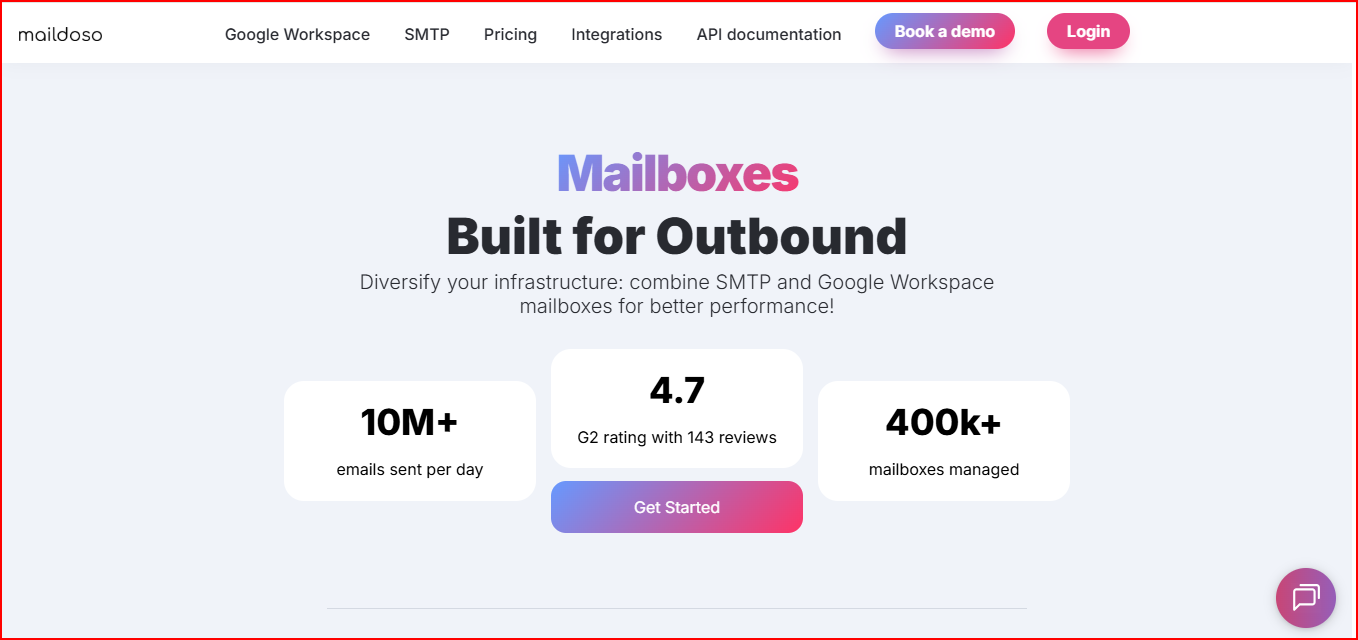
It lets you manage everything from one dashboard.
You can register new domains or connect your own, create mailboxes, and set up SPF, DKIM, and DMARC from the same place.
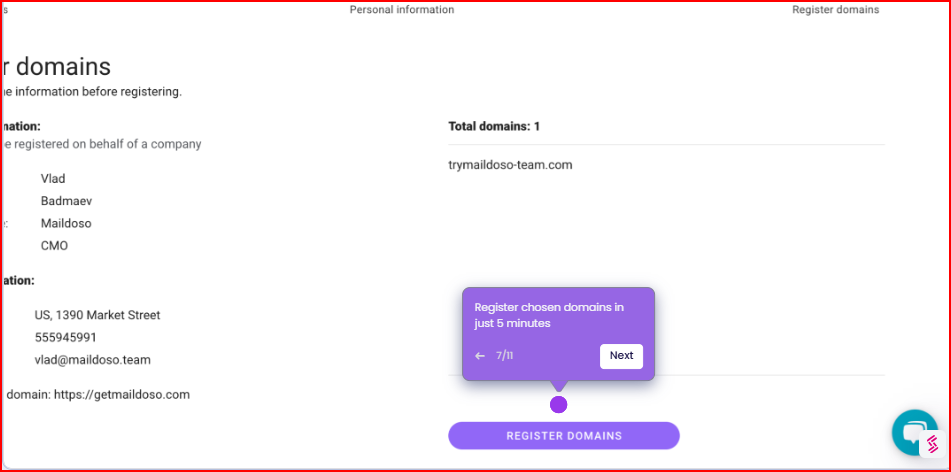
Maildoso supports SMTP mailboxes, Google Workspace mailboxes, and a combo option where both can be used together.
You can connect mailboxes directly to platforms like Instantly, Smartlead, Saleshandy, and others.
It also includes features like domain tracking, mailbox management, API access for automation, and deliverability-related resources, all focused on running cold email at scale in a structured way.
Use Mailforge! Create, manage, and scale cold email mailboxes without inbox limits.
Maildoso controls sending using fixed daily limits and predefined warm-up rules per mailbox.
When we checked the sending limits, Maildoso kept things very clear at the mailbox level.
Each SMTP mailbox comes with a hard limit of 95 emails per day.
This limit is fixed per account, so every mailbox follows the same rule.
Out of those 95 daily emails, Maildoso separates domain warm-up and prospecting.
80 emails are used for warm-up, and 15 emails are allowed for live prospecting.
This split is already defined, so there’s no need to decide how much goes where.
For new mailboxes and domains, Maildoso recommends running a warm-up for 10 to 14 days.
During this period, warm-up runs continuously while prospecting stays limited to the allowed volume.
While using the platform, we saw that warm-up volume increases are kept gradual.
Maildoso allows warm-up emails to go up by 1–2 emails per day, rather than letting volumes jump suddenly.
This keeps sending activity steady as the mailbox ramps up over time.
Maildoso manages deliverability by controlling how emails are sent, protected, and monitored at the infrastructure level, rather than leaving these settings to individual inboxes.
Here is what Maildoso provides to manage deliverability:
Maildoso includes an API for teams that want to automate mailbox and domain setup instead of managing everything manually from the dashboard.
Below is how the API is used in practice:
Maildoso provides an API that can be used to connect the platform with other tools.
It helps automate mailbox-related actions so repeated setup steps don’t have to be done from the dashboard.
With the API, mailboxes can be created automatically.
This is useful when setting up many mailboxes at once and keeping the process consistent.
Maildoso can be connected to CRMs, outreach tools, or custom systems through the API.
This allows Maildoso to work as part of a larger outbound workflow without manual intervention.
Maildoso is used to set up and manage domains and mailboxes, while your outreach tool handles campaigns and sending, so both work together without changing your existing workflow.
Maildoso supports direct integrations with tools like Instantly, Smartlead, Saleshandy, EmailBizon, and other similar platforms.
Mailboxes are connected using a one-click sync.
Once you do that, the mailboxes are mapped automatically inside the outreach tool, so there’s no need to download files or import accounts manually.
Maildoso is used to set up and manage domains and mailboxes.
Your outreach tool is then used to create campaigns and send emails.
This way, Maildoso fits into your existing outbound stack without changing how you already work.
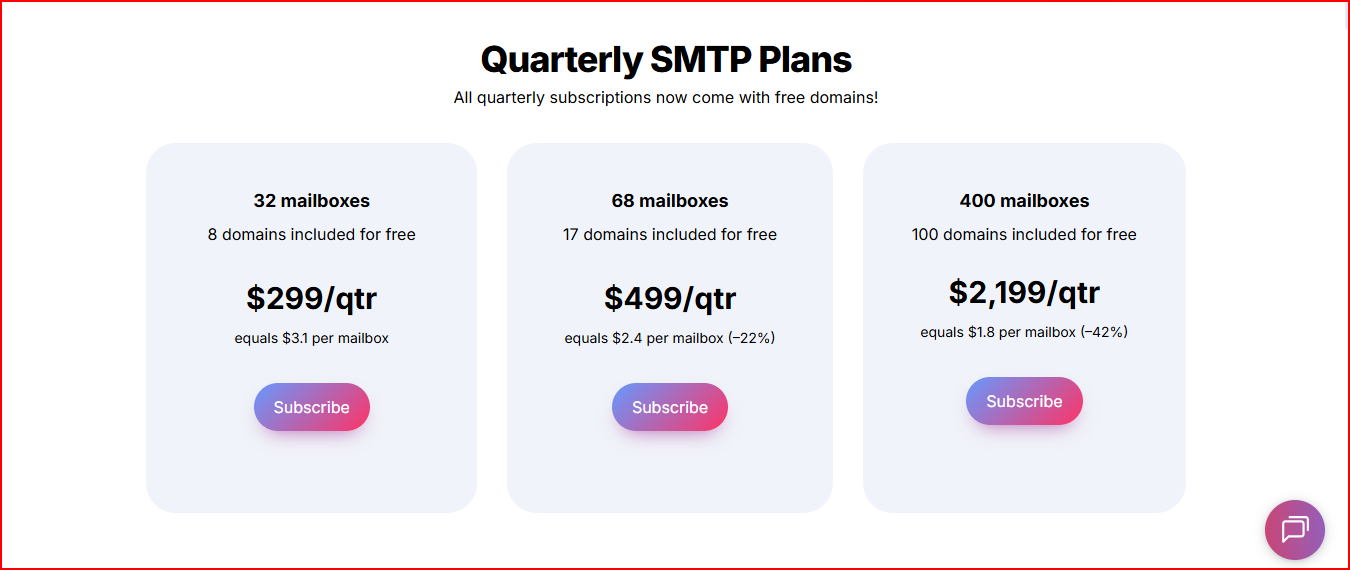
Maildoso offers 3 quarterly SMTP plans. They include 32, 68, or 400 SMTP mailboxes, come with 8, 17, or 100 domains, and cost $299, $499, or $2,199 per quarter.
Monthly SMTP plans start from 20 mailboxes at $50/month, scale to 50 and 200 mailboxes, and go up to 10,000+ mailboxes with custom pricing.
Each plan includes only SMTP mailboxes, with domains recommended based on mailbox count.
Maildoso has 3 combo plans that include 20, 50, or 200 total mailboxes.
Each plan splits mailboxes between SMTP and Google Workspace and costs $50, $113, or $380 per month.
There are 3 Google Workspace plans with 20, 50, or 200 mailboxes, priced at $65, $150, or $500 per month.
These plans include official business-licensed Google accounts and require a set number of domains.



Mailforge is a cold email infrastructure tool made to set up and manage domains and mailboxes for outbound, using a distributed shared-IP system.
Compared to Maildoso, it focuses on a simpler setup and easier scaling when mailbox numbers grow.
Mailforge sets up domains and mailboxes in minutes using automated DNS.
You don’t need to manually configure SPF, DKIM, or DMARC for every domain, which removes a lot of setup work compared to SMTP-based systems.
Mailforge runs mailboxes on a shared IP pool, similar to how Gmail or Outlook work.
This means you’re not managing individual SMTP IP limits or worrying about warming each IP separately.
Mailforge supports unlimited mailbox creation with bulk DNS updates.
This makes scaling straightforward, without hitting strict per-mailbox caps or repeating setup steps for every new inbox.
Mailforge includes SSL and domain masking options.
These help protect domains as outbound volume increases and add an extra layer between your sending domains and public access.
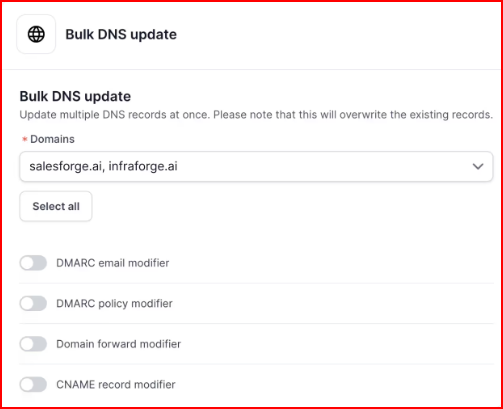
Mailforge handles only the infrastructure layer. You can use it with Salesforge or any other outreach tool, without changing how you run campaigns or manage replies.
Mailforge pricing is simple and predictable, ranging from $3 to $2 per mailbox per month, with setup and maintenance included.
As you add more mailboxes, costs scale in a clear and easy-to-track way.
If Maildoso feels limiting as you scale with SMTP rules and per-mailbox caps, Mailforge offers a more flexible setup that’s easier to grow with larger mailbox volumes.
Maildoso can work well if you’re planning to run cold email using SMTP mailboxes and are comfortable operating within fixed daily limits, warm-up rules, and structured domain control.
That setup can feel controlled and predictable, but it can also start to feel limiting as you add more mailboxes and volume.
Mailforge makes scaling easy, with a simpler setup, fewer operational constraints, and clear per-mailbox pricing.
If your goal is to scale outbound with less manual handling and fewer moving parts, that difference in approach is worth considering before you commit long-term.
Start building your cold email infrastructure with Mailforge and scale your mailboxes without the usual SMTP limits.