You are here to understand Mailerr, not to read another feature list.
You want clear answers:
That is what this review focuses on.
We tested Mailerr using 30 email accounts to look past the surface. Not to judge campaigns. Not to compare results.
Only to understand how Mailerr behaves when multiple inboxes exist at the same time. Things like inbox limits, domain handling, sending guidance, and overall control.
This review shares those observations.
Before going to choose, it helps to first understand what Mailerr is built for and how it works, and whether it fits your needs or not.
Mailerr is a cold email infrastructure tool used to set up and manage email inboxes and domains for outreach.
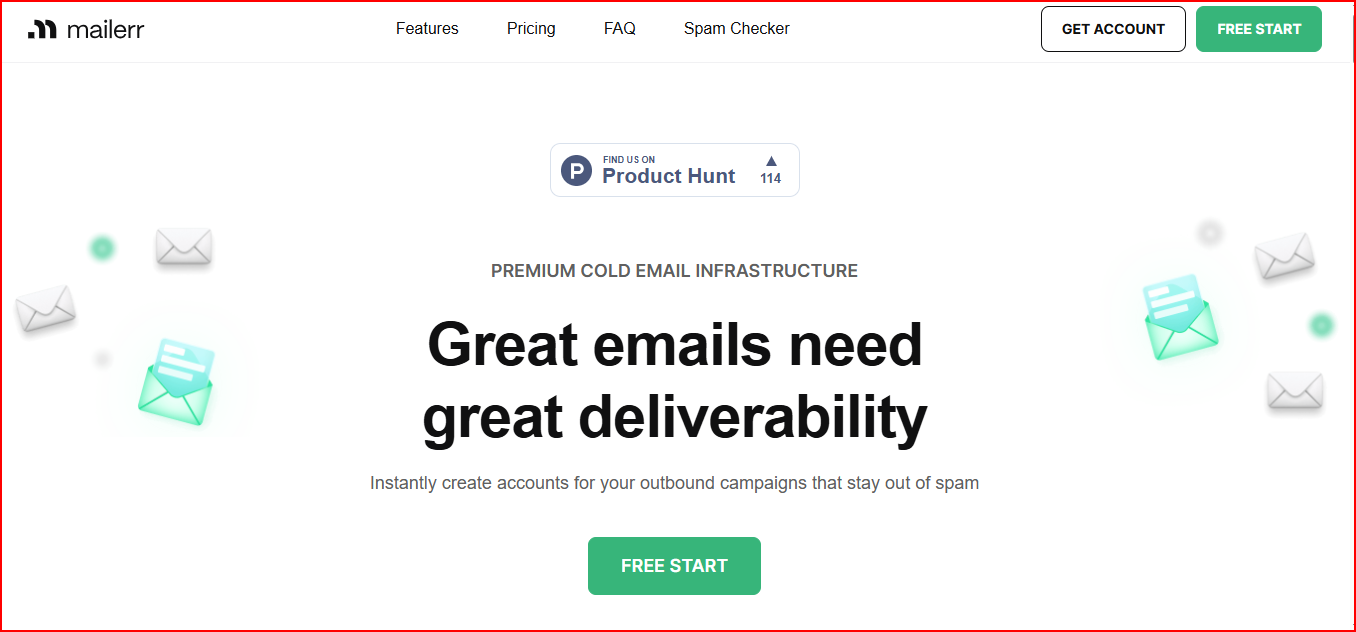
You can create inboxes, connect or buy domains, and have important records like SPF, DKIM, DMARC, and MX configured automatically.
All inboxes and domains are managed from one place, which makes it easier to stay organized when working with multiple accounts.
After the setup is done, the inboxes can be used in your email sending tool for outreach.
Get Mailforge and scale cold email with automated DNS and hundreds of inboxes.
This is how Mailerr manages domains, inboxes, and email setup in one system before outreach begins.
You add your own domains or buy new ones inside Mailerr.
Every email inbox is created under a domain, so domains stay at the center of the setup.
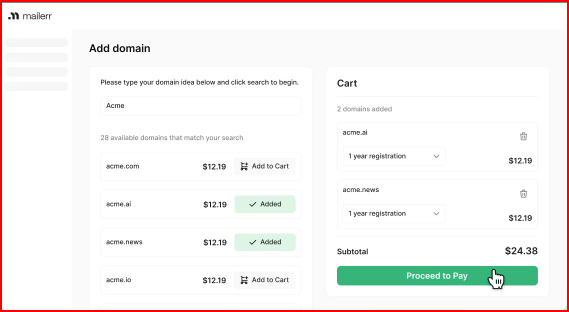
After a domain is added, Mailerr automatically sets up SPF, DKIM, DMARC, and MX records.
This prepares the domain for email without manual DNS changes.
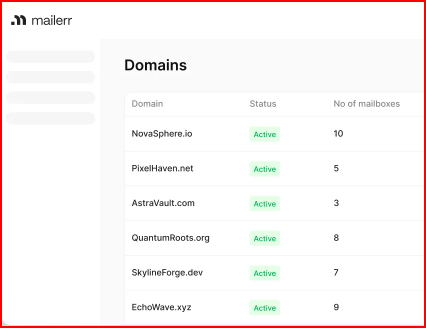
Mailerr allows email inboxes to be created under a domain, based on the selected plan.
All inboxes remain linked to their domain.
Each inbox has its own sender name and profile details.
This keeps email identities clear and separate.
Mailerr uses workspaces to organize inboxes and domains across different teams, clients, or campaigns.
Once inboxes are set up, they are connected to external email sending tools.
Mailerr stays focused on preparing the infrastructure before emails are sent.
Here is who controls the mailboxes, how inboxes are grouped, and why this setup matters when many accounts are involved.
Mailerr gives you direct access to every email account created inside the platform.
Each inbox can be opened and managed as its own email account, just like a normal mailbox.
You can:
There is no limited or read-only view. Each mailbox stands on its own, which makes it clear who controls which inbox, especially when many accounts exist.
Mailerr uses workspaces to organize inboxes and domains.
Each workspace holds its own set of inboxes, so accounts stay separated instead of sitting in one long list.
This means:
This section explains how Mailerr gets domains and sender details ready for email use.
When a domain is added to Mailerr, it is made ready for sending emails.
Mailerr sets up the needed DNS records for the domain.
These include:
Mailerr does this automatically. You do not need to touch DNS settings yourself.
This makes things easier, especially when you are using more than one domain.
Each email inbox has its own sender details. This includes the sender's name and profile information.
These sender details stay linked to the inbox, which helps keep each email account clearly identified when many inboxes exist at the same time.
In simple terms, Mailerr prepares domains and sender identity so inboxes are ready without manual setup.
Mailerr treats deliverability as part of the infrastructure, not as a campaign feature.
Once domains and inboxes are set up, Mailerr monitors a few deliverability signals that directly affect whether emails continue to be sent properly.
These are not engagement metrics. They are basic health checks.
Mailerr monitors:
These signals help indicate when an inbox or domain may be running into trouble and needs attention.
Mailerr does not enforce hard daily sending limits on inboxes.
Instead, it provides a clear recommendation.
This guidance is applied per inbox, not across all inboxes together.
Cold email setups often use many inboxes at the same time.
When inbox health is ignored or sending volume goes too high, problems can spread quickly across accounts.
Monitoring basic health signals and sharing clear per-inbox sending guidance helps:
In short, Mailerr focuses on basic inbox health checks and clear sending guidance to help keep cold email setups stable.
After emails start sending, Mailerr keeps visibility focused only on email setup health.
What you can see:
These signals help you understand whether your inboxes and domains are staying healthy or starting to face problems.
What you cannot see:
By keeping visibility limited to the inbox and domain health, Mailerr avoids mixing setup issues with campaign results.
Mailerr prices plans based on how many inboxes and domains you want to manage.
You can pay monthly or save 5% with annual billing.
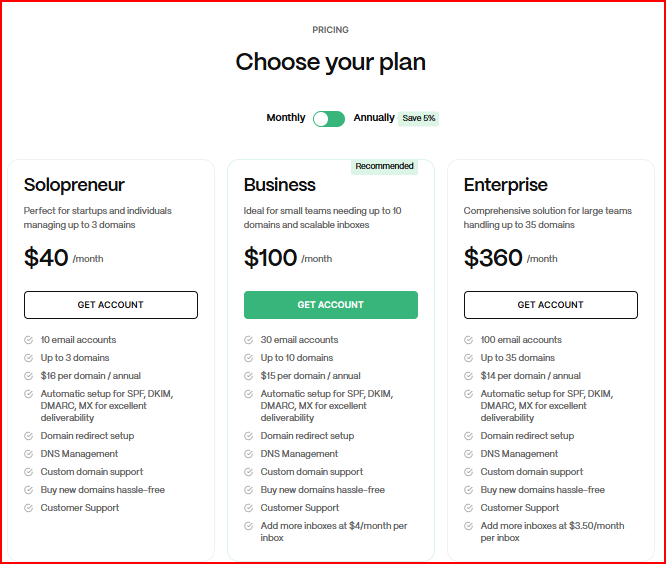
This works for small setups. You can run up to 10 inboxes across 3 domains, with domains billed at $16 per year.
This is for growing teams. You get up to 30 inboxes and 10 domains, domains cost $15 per year, and you can add more inboxes for $4 per month.
This plan fits larger teams. It supports up to 100 inboxes and 35 domains, domains cost $14 per year, and extra inboxes cost $3.50 per month.
As your inbox and domain count grows, the plan and add-on costs scale with it.
Once cold email moves beyond small setups, these are the limits teams often notice with Mailerr.
This is usually the point where poeple rethink their setup.
As cold email grows, teams often want fewer limits, less manual control, and infrastructure that scales more smoothly.
When inbox count, domain count, and sending volume increase, managing plans, add-ons, and multiple tools can start to feel heavy.
At this stage, teams often look for an option that:
At this stage, teams often consider tools built specifically for scalable cold email infrastructure, such as Mailforge.
Mailforge is built specifically for scalable cold email outreach.
While some tools focus mainly on setup, Mailforge is designed to support teams that want to move fast, scale freely, and run cold outreach at volume without adding complexity at every step.
Mailforge provides a distributed email infrastructure with shared IPs, similar to Gmail or Outlook, but it is built for cold outreach from day one.
Domains and mailboxes can be set up in minutes, and all technical records like SPF, DKIM, DMARC, and custom tracking are handled automatically.
Mailforge is built to let teams:
This makes it easier to grow cold email volume without constantly worrying about plan limits slowing things down.
Mailforge also works with any sending software, including Salesforge, and supports multi-channel outreach when used with Salesforge, combining email and LinkedIn in one flow.
From a cost perspective, Mailforge keeps pricing simple.
Mailboxes are priced at $3 to $2 per mailbox per month, which makes scaling inbox count more predictable as outreach grows.
Mailerr works well when the goal is to set up domains and mailboxes quickly and keep the technical side simple.
It handles domain setup, authentication, and inbox creation in a clean and structured way.
As cold email grows, the needs often change. Scaling outreach usually means managing more inboxes, more domains, and higher sending volume.
At that stage, limits around plans, add-on costs, and the need for multiple tools become more noticeable.
In those cases, teams sometimes also look at options like Mailforge, which is built around distributed infrastructure and higher inbox counts.
It approaches cold email with scaling in mind, keeps setup automated, and works alongside different sending tools.
That makes it relevant where scale and simplicity matter more than just initial setup.
Try Mailforge! Create and manage hundreds of inboxes with automated DNS, at just $2–$3 per mailbox per month.

